
ABCmouse Classic
Age of Learning, Inc.Education
3.727.98K Reviews
- Version
- 8.72.0
- Installs
- 10.00M
- Age Rating
- Everyone
Screenshots
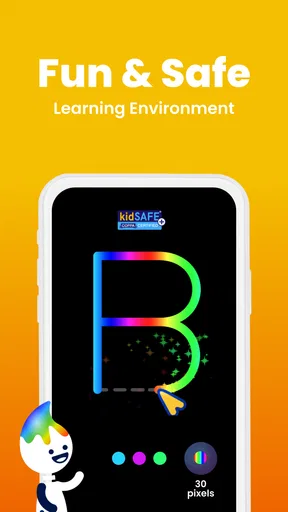
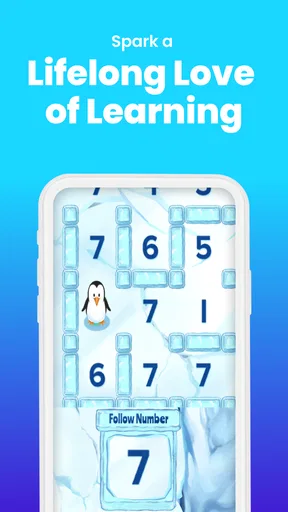

Our Review of ABCmouse Classic
 Analysis by Appyee
Starting a learning app with a young child can feel like one more thing to manage, so I’d keep the first session simple: sit together, explore one activity, and see whether its style suits your child. ABCmouse Classic is an education app from Age of Learning, Inc. for children ages 2 to 8. It combines early-learning activities with playful presentation, but it works best when an adult helps a first-time user choose a comfortable starting point rather than expecting the child to navigate everything alone.
What to expect from the first visit
The app’s appeal is its variety: a child can encounter academic practice alongside stories, music, puzzles, and creative activities. That breadth can help when attention shifts quickly, though it also means the home screen may feel busy to a child who is still learning how to use a tablet or phone. I’d treat the opening visit as a chance to look around together, not as a test of how much your child can complete.
ABCmouse Classic is free to download, with optional in-app purchases priced from $9.95 to $79.99 per item. The app has a 3.7 average from around 94,000 ratings, and it has been installed over 10 million times. Those figures tell me it has reached many families, but they don’t tell me whether its activities fit a particular child; a short, supervised trial is more useful than relying on popularity alone. Its Everyone age rating is not a substitute for an adult deciding whether the content and device use suit their household.
Make setup feel manageable
Before handing over the device, I’d set aside a few calm minutes to install the app and explore the first screens yourself. Check how the available activities are presented, then choose one that matches what your child already enjoys, such as stories, animals, or drawing. This small bit of preparation can prevent a young learner from getting stuck while you are busy with something else.
The app was released on March 6, 2014, and its current version is 8.72.0. It requires Android 7.0 or later, so an older Android device may not be suitable. If you’re using iOS, check compatibility on the device’s app store before planning a session. I’d also look at the purchase choices before a child explores independently: the download is free, but not every available purchase is included at no cost.
Find one satisfying first activity
For a first session, I’d aim for one clear win rather than a long stretch of screen time. Let your child pick between a couple of appealing activities, then stay nearby while they try one. If they finish a puzzle, listen to a story, or make something in an art activity, you have a natural stopping point and a chance to ask what they liked. That quick conversation can tell you more about whether the app is a good fit than simply watching the child tap through screens.
When a child is very young, I would not assume that an age-based path removes the need for guidance. A two-year-old may need help understanding what to tap, while an older child may prefer to choose independently. The useful first question is not whether the app can hold attention indefinitely, but whether one activity gives your child a positive, understandable learning moment.
Keep expectations and choices clear
One common source of confusion is the difference between a free download and the full range of content a family may want to use. Because in-app purchases are available, I’d review the purchase options yourself and make sure a child knows to ask before choosing anything that costs money. That is a practical step even if you plan to use only the free portion.
I’d also avoid treating progress screens as a complete picture of learning. Tracking can help you notice which activities your child has tried, but an app cannot show everything a child understands or needs. Ask them to explain a picture, count objects together, or retell a story in their own words. Those small offline follow-ups make the screen activity more meaningful without turning play into a lesson that feels like homework.
Who will get the most from it?
I can see ABCmouse Classic working particularly well for families who want a single place to offer a young child several kinds of structured activities, especially when an adult can help with the first few visits. It may also suit caregivers looking for a short activity during a quiet part of the day, or a way to give a child some variety after repeating the same books and games at home.
It is less compelling if you want a narrowly focused tool for one immediate goal, such as practicing a specific school skill with no distractions. A simple book, a hands-on counting game, or a focused subject app may be easier to steer in that situation. Likewise, if your child becomes frustrated by colorful menus or prefers physical play, I would not push this as a default solution. The best learning activity is one the child can engage with comfortably, and sometimes that is away from a screen.
Compared with a collection of free videos or standalone games, the main distinction here is the mix of activities and the sense of a guided learning environment. Videos can be easier when a child only wants to watch a story, while a single-purpose app can make practice feel more direct. ABCmouse’s broader format gives families more ways to switch activities, but that choice can make it harder to settle on one task. I’d help a child choose in advance when you have only a few minutes.
A realistic routine might be a brief visit after breakfast while an adult is nearby: the child chooses a story or puzzle, completes one activity, and then tells you what stood out. On a travel day, you might use it as one option among books, conversation, and breaks rather than relying on it to occupy the whole journey. That balance is useful for any screen activity, and it keeps the app from becoming the only answer to boredom.
One practical tip is to let the child’s interests guide the first choice, then introduce a different kind of activity on a later visit. If animals draw them in, for example, start there and use that interest as a bridge to a story or a puzzle. Another is to end while the child is still content, rather than waiting for attention to collapse; a pleasant stopping point makes it easier to return another day. These are small choices, but they can make a broad app feel less overwhelming.
A World of Learning at Their Fingertips
So, what’s the deal with ABCmouse Classic? Picture this: an interactive playground where learning meets fun. The app is designed for kids aged 2 to 8, and it’s packed with educational activities that cover essential subjects like math, reading, science, and art. It’s like having a mini-school right on your smartphone.
Getting Started
Jumping into ABCmouse is as easy as pie. After a quick download and setup, you're greeted with a vibrant and kid-friendly interface. Trust me, navigating through it was a breeze, even for a tech-challenged person like myself. Your child can dive straight into a variety of games and activities tailored to their age and skill level.
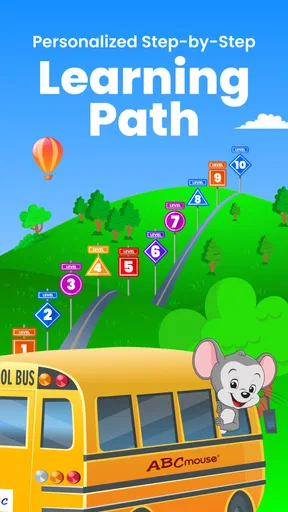
What really caught my eye was the step-by-step learning path. It’s personalized, meaning it adapts as your child progresses, ensuring they’re always challenged but not overwhelmed. Honestly, it’s like having a personal tutor who never gets tired!
Exploring Features
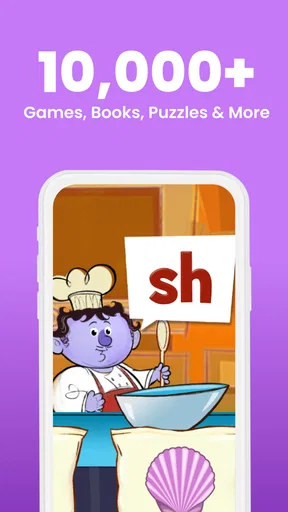
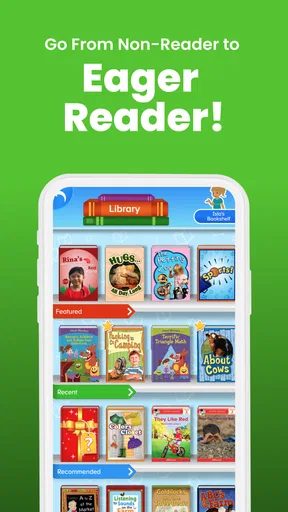
Let’s talk features. The app is loaded with over 850 lessons spread across ten levels. There’s a mix of games, books, songs, puzzles, and animations. It’s like having a library, a music collection, and an art studio all in one app. My personal favorite? The interactive zoo, where kids can learn about animals and their habitats. It’s both educational and wildly entertaining.
And the best part? It’s not just about academics. ABCmouse also focuses on developing your child’s creativity and critical thinking skills. The art activities, in particular, are a hit, allowing young artists to unleash their creativity without any mess.
The Parental Experience
Now, if you’re a parent worried about screen time, ABCmouse has got you covered. The app offers progress tracking, so you can keep an eye on what your child is learning. It’s reassuring to see the little milestones they achieve, and it feels like being a part of their learning journey. Plus, the app is ad-free, which is a huge relief in today’s digital age.
Another thing I appreciated was the offline mode. Perfect for those moments when you’re on the go and WiFi is nowhere in sight. Your child can continue learning without interruptions, making it a lifesaver during long car rides or flights.
Wrapping Up
So, is ABCmouse Classic worth it? In my opinion, absolutely. It’s not just an app; it’s an investment in your child’s education and development. It encourages curiosity, creativity, and learning in a way that’s engaging and fun. Honestly, I wish more educational tools were like this.
If you’re looking to give your child a head start, or just want to supplement their learning with something enjoyable, I’d say give ABCmouse a shot. You can find the download links for both Android and iOS on our website. Happy learning!
Choosing a next step that fits your family
After the first few sessions, I’d pay attention to what your child returns to without prompting and where they need your help. If they happily revisit a story or activity, that can become a familiar starting point; if they skip around or lose interest quickly, try shorter visits and offer fewer choices. The goal is not to complete everything, but to find a repeatable routine that feels enjoyable and appropriate for your child.
For caregivers wondering whether this can replace other learning, I would use it as a supplement rather than a substitute for reading together, conversation, outdoor play, or classroom instruction. The app’s range is useful for variety, while real-world interaction gives a child chances to ask questions and use new ideas in context. When the app sparks a question about animals, numbers, or a story, following that curiosity away from the screen is a worthwhile next step.
Overall, I’d recommend giving it a guided try if you want an assortment of early-learning activities and can make room for an adult to help with choices and purchases. I would skip it if you need a completely focused, hands-off tool or if screen-based learning is not a good fit for your child. That distinction matters more than the app’s popularity: a useful first experience is one that leaves your child curious and gives you a clear sense of whether to come back.
Verdict
Strengths of ABCmouse Classic
- Engaging educational content for kids.
- Wide variety of interactive activities.
- Parent-friendly tracking features.
- No ads to interrupt learning.
- Offline access for flexible use.
Limitations of ABCmouse Classic
- Subscription can be costly for some.
- Limited content for older kids.
- Requires regular updates for new content.
- Initial setup can be time-consuming.
- Some activities need strong internet.
Other Releases by Age of Learning, Inc.
View All
ABCmouse: Kids Learning Games
Education4.5
Similar Picks in This Category
View All
Duolingo: Language Lessons
Duolingo4.7

Google Classroom
Google LLC2.8

Unacademy: Learn & Crack Exams
Unacademy3.2

Bible App for Kids
Life.Church4.4

Cake - Learn English & Korean
Cake Corp.4.7

Brainly: AI Homework Helper
Brainly4.5
Frequently Asked Questions
What age group is ABCmouse Classic suitable for?
ABCmouse Classic is designed for children aged 2 to 8 years old. The app offers a comprehensive curriculum that covers a wide range of subjects, including reading, math, science, and art, tailored to each child's learning level. Parents can be confident that the app provides age-appropriate content that grows with their child.
What subjects does ABCmouse Classic cover?
ABCmouse Classic covers a diverse range of subjects such as reading, math, science, social studies, art, and music. The app aims to provide a well-rounded educational experience through interactive activities, games, and lessons that engage children in various foundational topics, ensuring a comprehensive learning journey.
Is ABCmouse Classic available offline?
While ABCmouse Classic requires an internet connection to download the app and access certain features, it does offer some offline capabilities. Users can download specific lessons and activities for offline use, allowing children to continue learning without an internet connection. This is particularly useful for long trips or when internet access is limited.
How does ABCmouse Classic keep children engaged?
ABCmouse Classic keeps children engaged through its interactive and visually appealing interface, which includes games, puzzles, and songs. The app also features a reward system where children earn tickets for completing activities. These tickets can be used to purchase virtual items, motivating children to continue learning and exploring the app.
What are the subscription options for ABCmouse Classic?
ABCmouse Classic offers a subscription-based model with options for monthly or annual plans. The app often provides a trial period for new users to explore its features before committing to a subscription. Family plans are also available, allowing multiple children to use the app under a single account, making it a cost-effective option for families.
